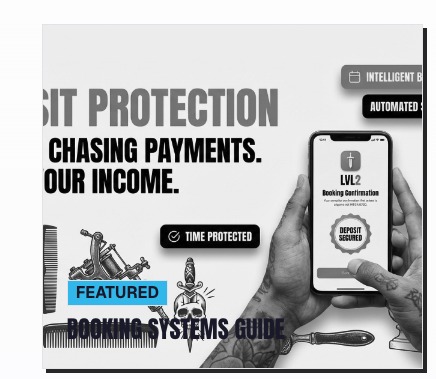
Most booking software was built for dentists and nail salons. Tattoo artists deserve a platform that actually understands the craft — deposits, custom pricing, multi-artist studios, and a client experience that matches your brand.
If you've spent any time searching for the right booking tool as a tattoo artist or studio owner, you already know the frustration. You find a slick-looking app, sign up, and then realize it was built for a yoga studio. There's no deposit flow. The intake forms are basic. You can't separate artists under one shop roof. And the branding? Generic enough to make your clients cringe.
We broke down the top tattoo booking platforms people actually search for — who they're for, what they get right, and where they fall short. Then we'll show you why LVL2 is built as a web-first operating system for artists and studios — booking, deposits, CRM, payments, shop, and discovery (map, guest spots, conventions, flash, LVL2 Exchange) — with tattoo-native workflows first.
The Major Players in Tattoo Booking Software
Here's an honest look at the platforms that consistently show up in searches for tattoo studio scheduling software. We're not here to trash anyone — we're here to be real about fit.
One of the most-reviewed tattoo booking apps. Clean interface, works out of the box. But it was designed for any service business, not tattoo specifically.
- Easy client booking link
- Good mobile app
- Reminder automation
- No custom deposit logic
- Weak intake forms
- No multi-artist hierarchy
Great if Square is already your POS. But the booking layer is thin and not industry-specific. Artists often outgrow it quickly.
- Tight payment integration
- Free tier exists
- Familiar brand trust
- Generic booking UX
- No artist portfolio features
- Limited customization
Feature-rich but aimed squarely at beauty salons and spas. Tattoo studios get shoehorned into hair salon workflows.
- Robust feature set
- Built-in marketing tools
- Membership management
- Bloated for tattoo use
- High monthly cost
- Salon-first UX everywhere
A solid tool for solo professionals. Intake forms are a highlight. But multi-artist studios hit walls fast and there's no tattoo-specific logic.
- Strong intake forms
- Reliable & stable
- Good Squarespace fit
- Solo-user focused
- No industry packs
- Limited studio branding
Free to use but charges per transaction. Works as a marketplace which can bring in clients — but you're listed alongside every nail bar in your city.
- No monthly fee
- Marketplace discovery
- Clean client interface
- Per-booking fees add up
- You don't own your clients
- Zero tattoo-specific tools
Web-first: themed public profiles and booking, Stripe Connect deposits and payouts, client portal, automations, artist shop, and discovery — not a generic calendar bolt-on.
- Tattoo-forward booking + flash
- Multi-artist studios + roster
- Deposits, invoices, Stripe Connect
- Profiles, shop, map & Exchange
- Newer platform
- Still growing ecosystem
Head-to-Head Comparison
Here's how the major platforms stack up on the features that actually matter for tattoo artists and studio owners.
| Feature | Bookedin | Square Appts. |
Vagaro | Acuity | Fresha | LVL2 ✦ |
|---|---|---|---|---|---|---|
| Tattoo-specific workflows | ✗ | ✗ | ✗ | ✗ | ✗ | ✓ |
| Multi-artist studio support | Partial | ✓ | ✓ | Partial | ✓ | ✓ |
| Custom deposit logic | Basic | Basic | ✓ | Basic | Basic | ✓ |
| Artist portfolio display | ✗ | ✗ | ✗ | ✗ | Basic | ✓ |
| Custom client intake forms | Basic | ✗ | ✓ | ✓ | ✗ | ✓ |
| Row-level data security | ✗ | Basic | Basic | Basic | ✗ | ✓ |
| Industry-specific service packs | ✗ | ✗ | Beauty only | ✗ | Beauty only | ✓ |
| White-label / custom branding | Limited | ✗ | Limited | Limited | ✗ | ✓ |
Generic Software Costs You Real Money
Every time a potential client hits a clunky booking page, wrestles with a confusing deposit screen, or can't find your artists' work — that's a booking you didn't get. Your platform should be working for you, not against you.
What Makes Tattoo Booking Different
Booking a tattoo isn't like booking a haircut. There's a consultation phase, a custom piece to design, deposit collection, healing check-ins, potential touch-ups, and a long-term relationship between client and artist. Most software treats every appointment like a 45-minute service slot.
Deposits Are the Standard — But Most Apps Get Them Wrong
Every serious tattoo artist collects a deposit before committing to custom work. The problem is that most booking platforms either don't support them at all, or implement them so awkwardly that clients abandon the booking halfway through. A platform designed for tattooing should make deposit collection feel natural — not like a workaround.
Your Portfolio Is Your Pitch
When a client is deciding which artist to book, they're not reading bios — they're looking at work. A booking platform that can't display your portfolio in a compelling way is forcing potential clients to bounce to your Instagram before they ever book. That's friction you don't need.
Multi-Artist Studios Need Real Structure
A shop with four artists isn't just "one business with multiple employees." Each artist has their own style, their own schedule, their own rates, their own client list. The booking system needs to reflect that. Most tools either treat everyone as a "staff member" or make you run separate accounts entirely.
The software should disappear — clients should only feel the experience you've built, not the tool behind it.
— LVL2 Design PrincipleHow LVL2 Approaches Tattoo Booking
LVL2 is not a salon calendar with a tattoo skin. It is a web-first operating system: public profiles, themed booking pages, custom intake, deposits and balances, client CRM, SMS and auto-messages where enabled, merch shop, and discovery surfaces (map, guest spots, conventions, flash, and LVL2 Exchange — the in-product catalog, not a generic marketplace feed).
Studios and solo artists share the same core: workspace-scoped data, artist-level identity where it matters, and studio-level tools (directory, roster, team flows) that stay separate from the artist Shop (merch) in navigation and mental model.
Clients book and pay in an experience that matches your brand. Native iOS is a fast shell (auth + dashboard WebView) alongside the web product — not a second codebase you have to keep in parity for every workflow.
The Bottom Line
If you're a solo tattoo artist or running a multi-artist studio and you're tired of fitting your workflow into software that was built for someone else — LVL2 was built for this. Not adapted. Built.
Frequently Asked Questions
Is LVL2 only for tattoo studios?
No — LVL2 leads with tattoo and studio workflows and widens to adjacent service pros where the same booking + money + CRM stack fits. Positioning and IA stay honest: call the in-app catalog LVL2 Exchange, keep Shop for merch, and Studio for directory and team tooling.
How does LVL2 compare to Bookedin specifically?
Bookedin is a solid general-purpose booking tool with a good mobile experience. Where it falls short for tattoo studios is in custom deposit handling, artist-level booking within a studio structure, and any form of portfolio integration. LVL2 covers all three natively.
What about platforms like Vagaro or Fresha?
Vagaro has a lot of features but was built for beauty salons and spas — which means tattoo artists often pay for tools they don't need while the features they do need are missing or clunky. Fresha's marketplace model is useful for discovery, but it comes at the cost of client ownership. When you're on Fresha, those are Fresha's clients. On LVL2, they're yours.
Can I use LVL2 as a solo artist, or is it just for shops?
Both. Solo artists can run their own profile and booking flow as a standalone entity. Studios can manage multiple artists under one umbrella. The platform scales with you.
How do I get started?
Start at leveltwo.app or the same product on lvl2.ink (tattoo & body art) and lvl2.hair (hair & barbers). LVL2 also owns more lvl2. brand domains—tattoo, skin, beauty, photography, salon, makeup, pro, dev, and related verticals—for the brand and future routing. Create an account from Get Started, download the iOS app for quick dashboard access, and use Help Center when you need it.
Run your shop on LVL2
Booking, deposits, clients, payments, shop, and discovery — web-first, tattoo-native.
Get started